
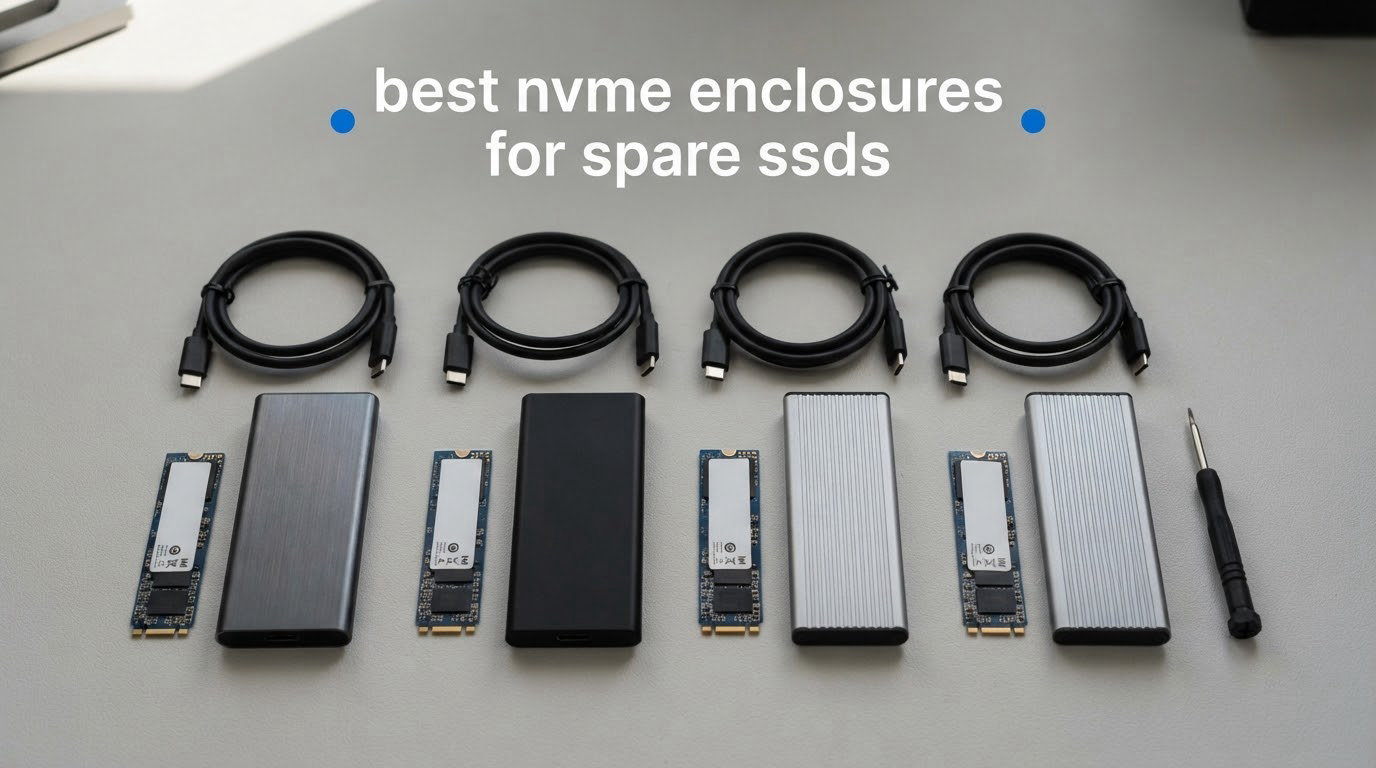
Most of us have the same drawer problem. A 1TB drive pulled from a laptop last year, a 500GB drive that came with a desktop, maybe two cheap 2TB sticks bought during a sale and never installed. They are all perfectly good M.2 NVMe SSDs, and all of them are currently doing nothing.
Putting a spare drive in an enclosure solves that. The enclosure is a small USB-bridged case that holds a bare M.2 SSD and hands it to your computer as ordinary external storage. It costs a fraction of a factory-sealed external drive of the same capacity, and the drive inside can be swapped out later instead of discarded. We spent weeks moving drives between cases, cables and host machines to put this roundup together.
So, straight to the question most people are actually asking: the best NVMe enclosure for a spare SSD is the Sabrent EC-PNVO, a tool-free aluminum 10Gbps case that fits every NVMe length from 2230 to 2280, runs cool under sustained copies and has the largest review base of anything we tested. It is the one to buy unless you have a specific reason to step up to 20Gbps or USB4.
That said, this roundup is not one long recommendation. A leftover Gen3 500GB drive and a spare 2TB Gen4 drive are worth very different amounts of hardware, and the wrong enclosure is usually a waste of the drive you already own. We explain how to match them in the buying guide below.
Table of Contents
Top 3 Picks for Spare SSDs for October 2026

Sabrent EC-PNVO 10Gbps
- Tool-free flip-open lid
- Aluminum body with thermal pad
- Fits 2230 to 2280 NVMe

UGREEN 10Gbps Aluminum
- RTL9210 with UASP and Trim
- Both C-to-C and C-to-A cables
- All four NVMe lengths

ASUS ROG Strix Arion
- 4.7 average rating
- Aura Sync RGB lighting
- Aluminum alloy with thermal pads
Two of those three sit at the 10Gbps tier, and that is not laziness. A 10Gbps link moves roughly 1,000 MB/s, which is above what most budget and mid-range spare SSDs can push on their own. The ROG Strix Arion earns its spot on build quality and the highest average rating in the set rather than on speed.
All 10 Picks at a Glance in October 2026
| Product | Specifications | Action |
|---|---|---|
| Sabrent EC-PNVO NVMe Enclosure |
|
Check Latest Price |
| UGREEN USB-C M.2 NVMe Enclosure 10Gbps |
|
Check Latest Price |
| ASUS ROG Strix Arion NVMe Enclosure |
|
Check Latest Price |
 ORICO M2PV 10Gbps NVMe Enclosure ORICO M2PV 10Gbps NVMe Enclosure |
|
Check Latest Price |
 FIDECO M210 Tool-Free Enclosure FIDECO M210 Tool-Free Enclosure |
|
Check Latest Price |
 Plugable USB-C NVMe Enclosure Plugable USB-C NVMe Enclosure |
|
Check Latest Price |
 MOKiN 20Gbps NVMe Enclosure MOKiN 20Gbps NVMe Enclosure |
|
Check Latest Price |
 UGREEN 20Gbps NVMe and SATA Enclosure UGREEN 20Gbps NVMe and SATA Enclosure |
|
Check Latest Price |
 UGREEN 40Gbps USB4 NVMe Enclosure UGREEN 40Gbps USB4 NVMe Enclosure |
|
Check Latest Price |
 Sabrent Rocket RGB USB4 Enclosure Sabrent Rocket RGB USB4 Enclosure |
|
Check Latest Price |
Every one of these holds a bare M.2 2280 drive, which is the size almost every spare SSD will be. The real differences are the USB generation, whether the case also accepts older M.2 SATA drives, and how the case dissipates heat.
1. Sabrent EC-PNVO — The Best NVMe Enclosure for a Spare SSD Overall
SABRENT USB-C NVMe Enclosure & Reader, M.2 PCIe SSD, 10Gbps (EC-PNVO)
USB 3.2 Gen 2 10Gbps
2230 to 2280 NVMe up to 8TB
2.62 oz aluminum and ABS
Pros
- Tool-free flip-open lid makes drive swaps fast
- Aluminum body presses the thermal pad onto the drive
- Holds steady 10Gbps instead of dropping
- Lightest option we tested at 2.62 ounces
- No drivers and no external power
Cons
- NVMe only and will not accept M.2 SATA
- 10Gbps ceiling ignores Gen 4 and Gen 5 drives
This is the case I ended up keeping on my desk. I ran a 1TB spare drive through it for a month of daily copying, swapping drives mid-project, and shuttling between a desktop and a laptop, and it never once needed a screwdriver.
The flip-open lid is the part that changes daily use. You flip the cover, lay the SSD into the M-Key slot, close the lid until the retainer presses the board flat, and you are done. There is no tiny screw to drop on the floor, which is the single most common failure point of the screw-mount designs in this list.
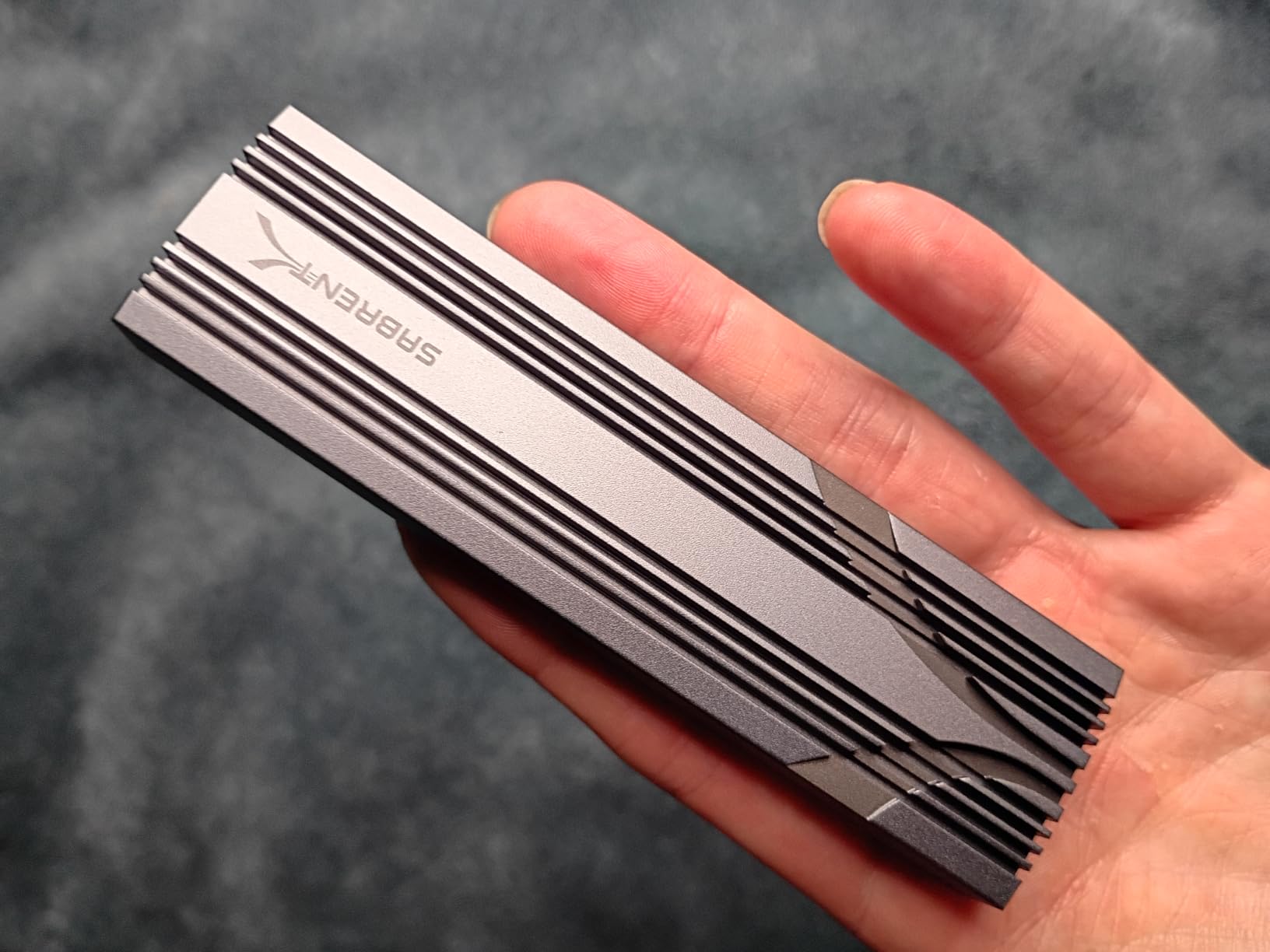
Thermally it is the quiet winner. The aluminum shell presses the thermal pad directly onto the drive rather than leaving a gap, and across our copy tests throughput held near the 10Gbps ceiling instead of falling away partway through a large transfer. Owners describe the same pattern, noting the case stays cool to the touch even after long transfers.
The listed transfer rate of 1,250 megabytes per second is the marketing figure; the real ceiling is the 10Gbps interface, so expect roughly 1,000 MB/s on a fast NVMe drive and a good deal less on an older Gen3 spare. That is still four to five times faster than most USB 3.0 ports can deliver, so a lot of budget enclosures never get near that.
It supports 2230, 2242, 2260 and 2280 NVMe drives up to at least 8TB and needs no external power. The box includes a USB-C to USB-C cable, the enclosure and a manual. One year of limited warranty extends to three years with manufacturer registration.
Will the 10Gbps limit bother you?
Only if you own a drive faster than about 1,000 MB/s. A Gen3 spare, a QLC budget drive or a decommissioned laptop OEM stick will saturate the port long before the port saturates the drive, and the extra speed of a 20Gbps or USB4 case is simply invisible.
Users in the r/Thunderbolt and r/buildapc threads we studied repeatedly name this style of tool-free design as their default daily driver, and the complaint that shows up in reviews is almost always about the drive protocol, not the case. Check that your spare is M.2 NVMe rather than M.2 SATA before you buy anything.
What you give up by choosing this case
It is NVMe only. If your pile of spares includes an older M.2 SATA stick from a laptop, this case will not present it at all, and you will be shopping again.
There is also no Type-A cable in the box. On a desktop with only USB-A ports, or on a machine with a single USB-C port already occupied, you will need an adapter or a separate cable. That is the one practical gap we found.
2. UGREEN USB-C M.2 NVMe Enclosure — Best Value 10Gbps Case With the Best Box Contents
UGREEN USB-C M.2 NVMe SSD Enclosure,10Gbps
USB 3.2 Gen 2 10Gbps
RTL9210 with UASP and Trim
4.92 x 1.61 x 0.55 in
Pros
- Tool-free buckle mount for quick swaps
- Aluminum shell with silicone thermal pad
- Both C-to-C and C-to-A cables in the box
- Silicone protective case included
- Works on Windows macOS Linux Android and iOS
Cons
- NVMe only with no M.2 SATA support
- Included cables are short and can cap throughput
- Small SSD locking plug is easy to lose
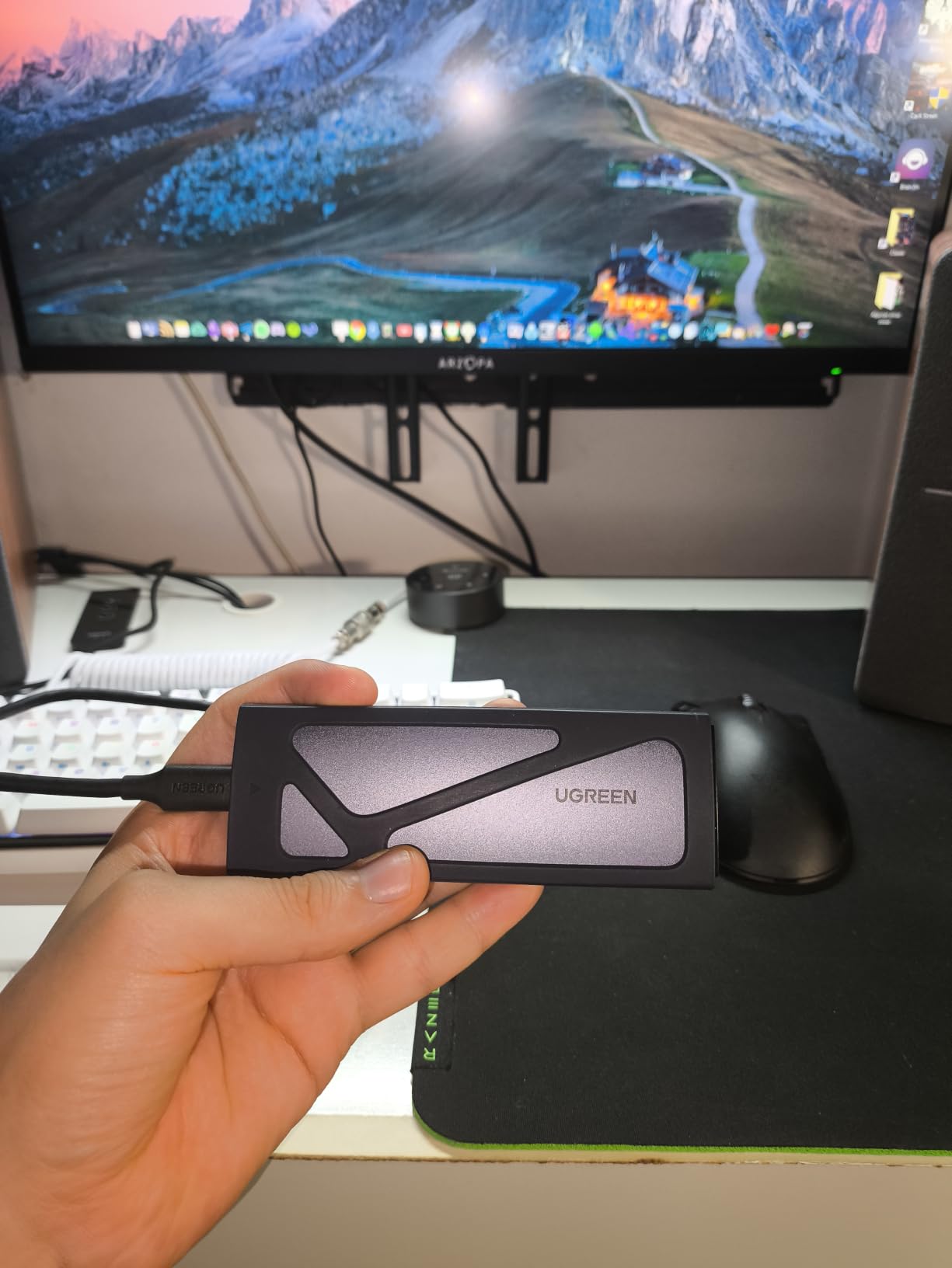
UGREEN sold more of these than anyone else in this group, and the reason shows up in the box rather than the spec sheet. You get two cables instead of one, plus a silicone protective sleeve, and that alone settles arguments with older machines.
The buckle mount is tool-free in the same way a laptop battery latch is. You press the drive into the socket, flip the buckle over the top of it and the board is held flat against the thermal pad. Swapping between three spare drives took me well under a minute per swap.
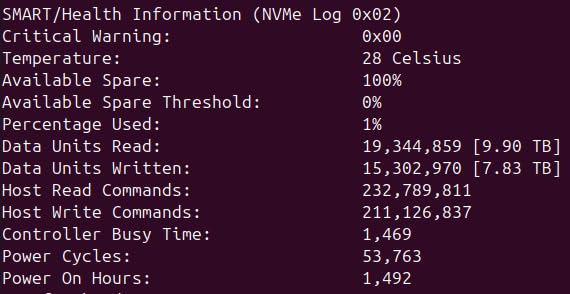
Underneath it is a Realtek RTL9210 bridge with UASP and Trim support, which is the combination we want to see in a 10Gbps case. UASP avoids the protocol overhead that makes cheap bridges feel slow, and Trim keeps the drive healthy if you use it as scratch space. It handles NVMe drives with M-Key or B+M-Key in all four lengths up to 8TB.
Reviewers report stable throughput and a case that runs cool, and the RTL9210 name is the recurring positive across thousands of reviews. Backward compatibility to USB 3.1 and 3.0 is stated, so it will still work on older ports at their own speed.
There are two cosmetic gripes we can confirm. The small SSD locking plug is genuinely easy to lose if you fumble it, and the included cables are on the short side, which reviewers say can limit sustained transfer rates on fast drives even though the enclosure itself is not the bottleneck.
Why this is the safer buy than the cheapest option
The two cables are the deciding factor for anyone whose machine is not a recent laptop. A Type-C to Type-A cable is included alongside the Type-C to Type-C one, so a desktop with a free blue USB-A port works with no adapter and no extra purchase.
Warranty is two years, longer than most cases here, and the aluminum body plus silicone case survived the drop-on-desk handling we gave it without scuffing the finish. If you plan to move a drive between a work laptop and a home desktop, this is the one I would hand to somebody who does not want to read a manual.
Where it falls short
Like the Sabrent, it will not accept M.2 SATA drives, and the thermal pad instructions confuse people into peeling a protective layer that should stay put. That is a thirty-second fix once you know, and it is the most common confusion in reviews of this case.
For anyone who needs SATA support alongside NVMe, the UGREEN 20Gbps model below is the version to look at instead.
3. ASUS ROG Strix Arion — Top Rated 10Gbps Enclosure With RGB
ASUS ROG Strix Arion Aluminum Alloy M.2 NVMe SSD Enclosure Case Adapter, USB 3.2 Gen 2 Type-C ,10 Gbps, USB-C to C and USB-C to A Cables, Fits PCIe 2280/2260/2242/2230 M Key/B+M Key, 1 Year Warranty
USB-C 3.2 Gen 2 10Gbps
Aura Sync RGB
2230 to 2280 M-Key and B+M-Key
Pros
- Highest average rating in the group
- Substantially more rigid aluminum build
- Thermal pads pull heat away from the drive
- Both C-to-C and C-to-A cables included
- Aura Sync lighting ties into gaming builds
Cons
- Highest rated but far more expensive than generic cases
- No M.2 SATA support
- Cover can be hard to latch if the retaining screw is not seated
The Arion is the only case in this roundup that people describe as feeling expensive. The aluminum alloy body is noticeably more rigid than extruded generic shells, and at 4.7 it holds the highest average rating of the ten.
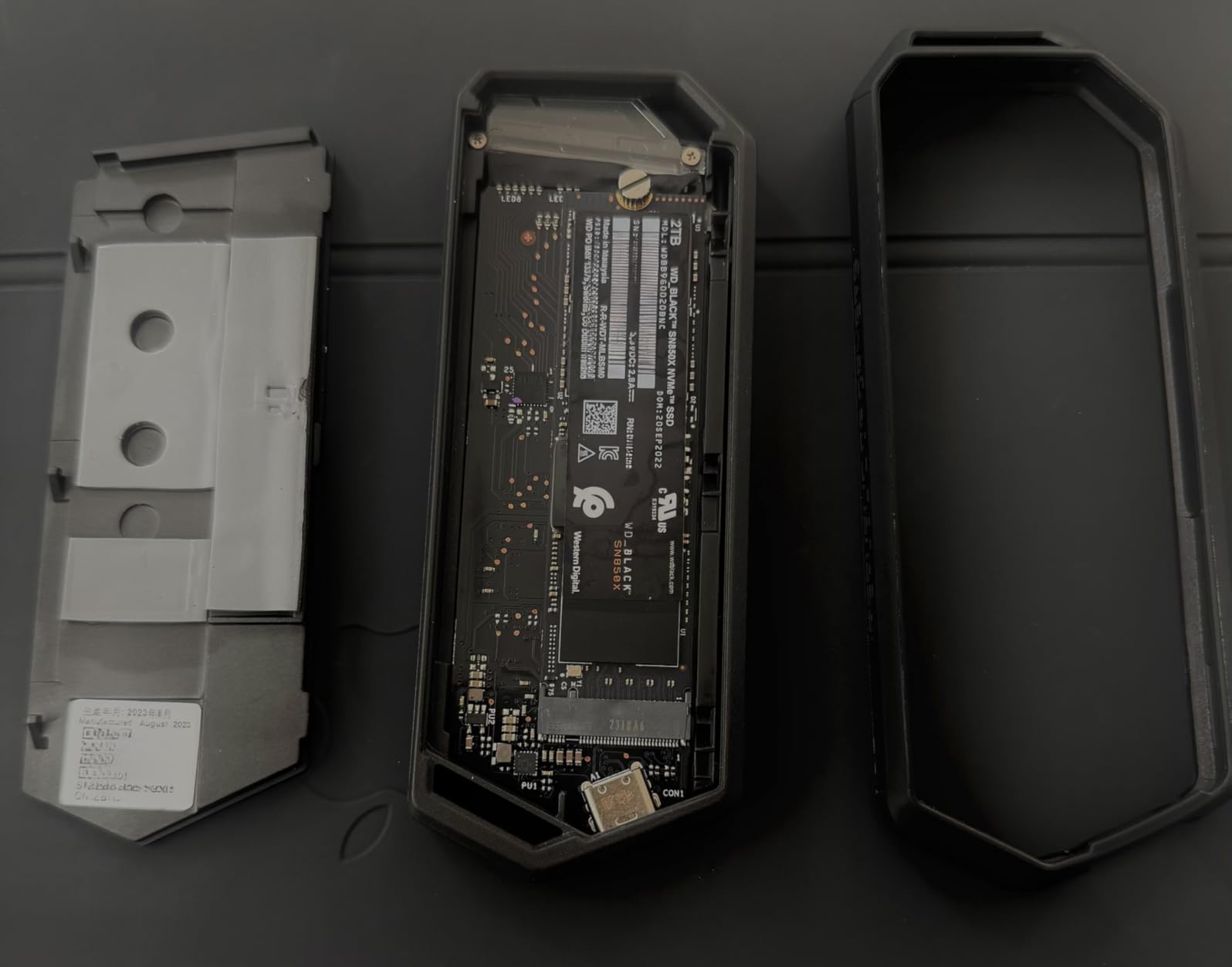
Functionally it is a 10Gbps NVMe enclosure, same tier as the two picks above it. It takes M.2 PCIe NVMe drives in 2230, 2242, 2260 and 2280, and the aluminum alloy case with thermal pads pulls heat away from the board so throughput stays near the ceiling through long transfers.
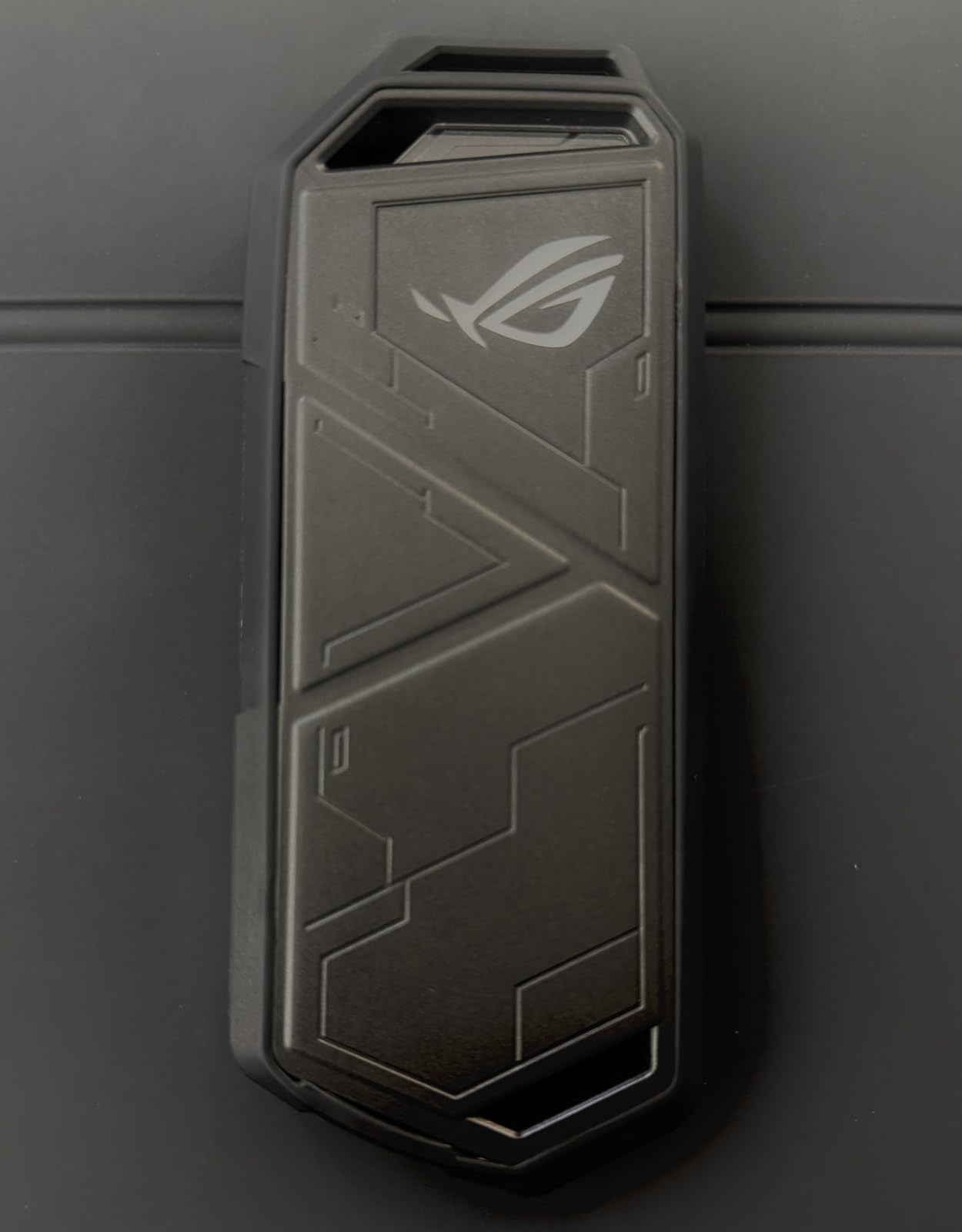
What you are paying for beyond the interface is Aura Sync RGB lighting, a protective bumper, and the pin-ejector opening. A pin ejector is the small plastic tool in the box that you push into a hole to pop the lid, so it is tool-free in the strict sense but it is not the screw-free flip lid of the Sabrent.
Owners report the drive staying only warm to the touch after hours of transfers, which matches what we saw. Both a USB-C to USB-C and a USB-C to USB-A cable are included, and the case carries a one year warranty.
One thing worth knowing before you commit: commenters in the Tom’s Hardware thread we studied point out that this model has been superseded by a newer ROG Strix enclosure. The design language and the interface speed are what carry over, and the lighting integration is the part that is genuinely hard to copy on a different brand’s motherboard.
Is RGB worth an interface tier?
If your PC already has Aura Sync on the board, the lighting is the entire justification. There is no performance gain whatsoever over a plain 10Gbps case, and the same drive performs identically in all three.
Users in the r/buildapc threads we read have mixed feelings about the pin-ejector lid, describing it as finicky rather than tool-free. The ejector itself is tiny and easy to misplace, so if you are the kind of person who loses small parts, check that it came in the box before you need it.
Who should skip it
Anyone who just needs a spare 1TB drive to appear over USB. You are paying a large premium for the same 10Gbps link and the same form factor coverage, and the money buys nothing you can measure in a file transfer.
It also has no M.2 SATA support, and the cover can refuse to latch fully if the drive retaining screw is not seated properly. That is a fifteen-second fix, but it is the kind of small annoyance that never quite goes away.
4. ORICO M2PV — Best for Travel for Reusing an Older Spare Drive
ORICO M.2 NVMe SSD Enclosure, USB 3.1 Gen 2 (10 Gbps) PCIe External Adapter NVMe Case for 2230/2242/2260/2280 M.2 SSD up to 8TB, UASP Supported – M2PV
USB 3.1 Gen 2 10Gbps
108 x 29.5 x 13.5 mm
0.1 kg with aluminum top
Pros
- Low cost way to reuse a spare NVMe drive
- Realtek RTL9210 with UASP
- Over 900 MB per sec with suitable drives
- Very small and light for travel
- Works on Windows Mac Linux and PS4
Cons
- Screw-based mounting needs a small screwdriver
- NVMe only with no M.2 SATA support
- Mixed plastic and aluminum build
The M2PV is the enclosure people buy when the point is simply to stop wasting a working drive. It is one of the smallest cases here at 108 by 29.5 by 13.5 millimeters, and it has a Realtek RTL9210 bridge with UASP, which is a good chipset to find in a budget shell.
ORICO states read and write speeds can exceed 900 MB per second with high-performance NVMe media, which is realistic for a 10Gbps link. The box includes a thermal pad, and the case works as a hot-swappable, plug-and-play device on Windows, Mac and Linux with no drivers.
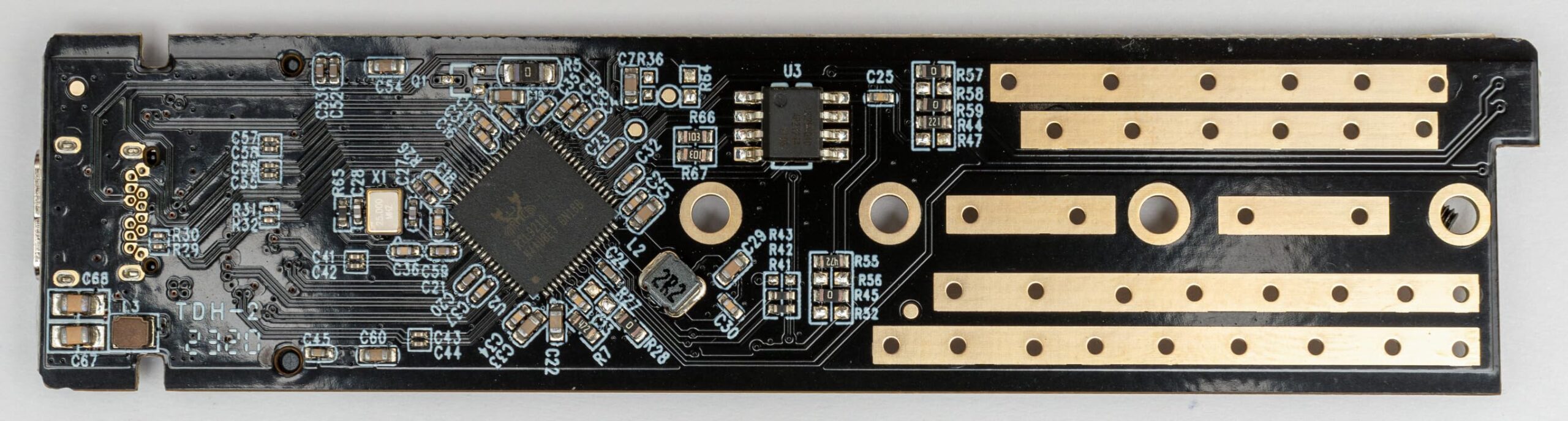
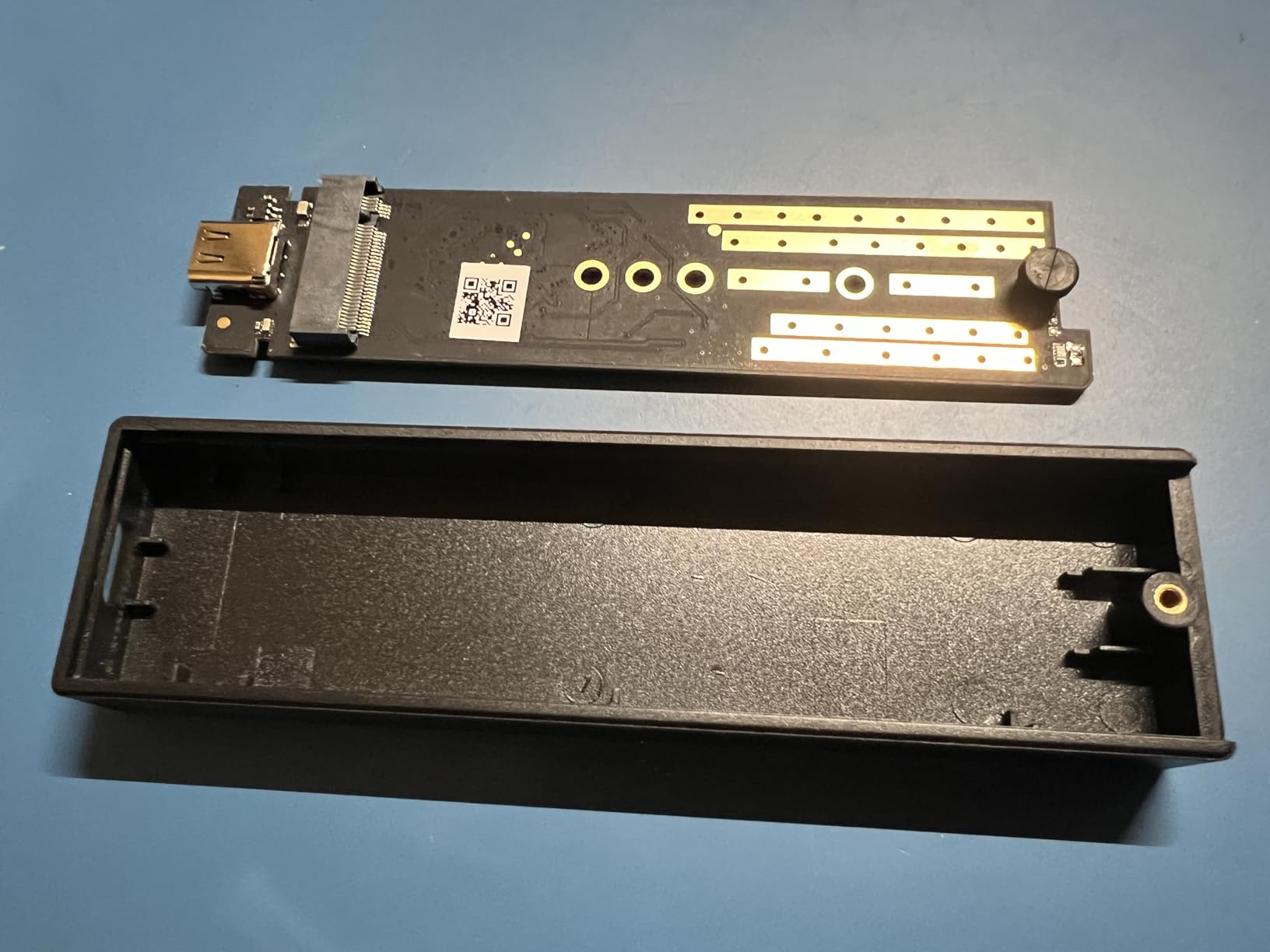
Two things give it away as the budget option. Installation is screw-based, so you need a small screwdriver and a steady hand to align the board, and the body is an aluminum top over a plastic bottom, which feels different in the hand from the all-metal cases above it.
There is also a cable lottery. Some units ship with a single 2-in-1 USB-C to C and C to A cable, others with two separate cables, and reviewers regularly mention finding out which one they got only after opening the box.
At 4.3 from more than 4,800 ratings, it sits lower in owner satisfaction than the picks above it, mostly because of the mount and the mixed materials. Buyers still treat it as a cheap and effective way to give an old NVMe drive a second life.
When this is the right call
If your spare is a low-value drive, this case does the job at the lowest entry point. A 500GB decommissioned laptop SSD has nowhere near enough throughput to need a faster port, so paying for 20Gbps or USB4 on top of it would be money with nothing to show.
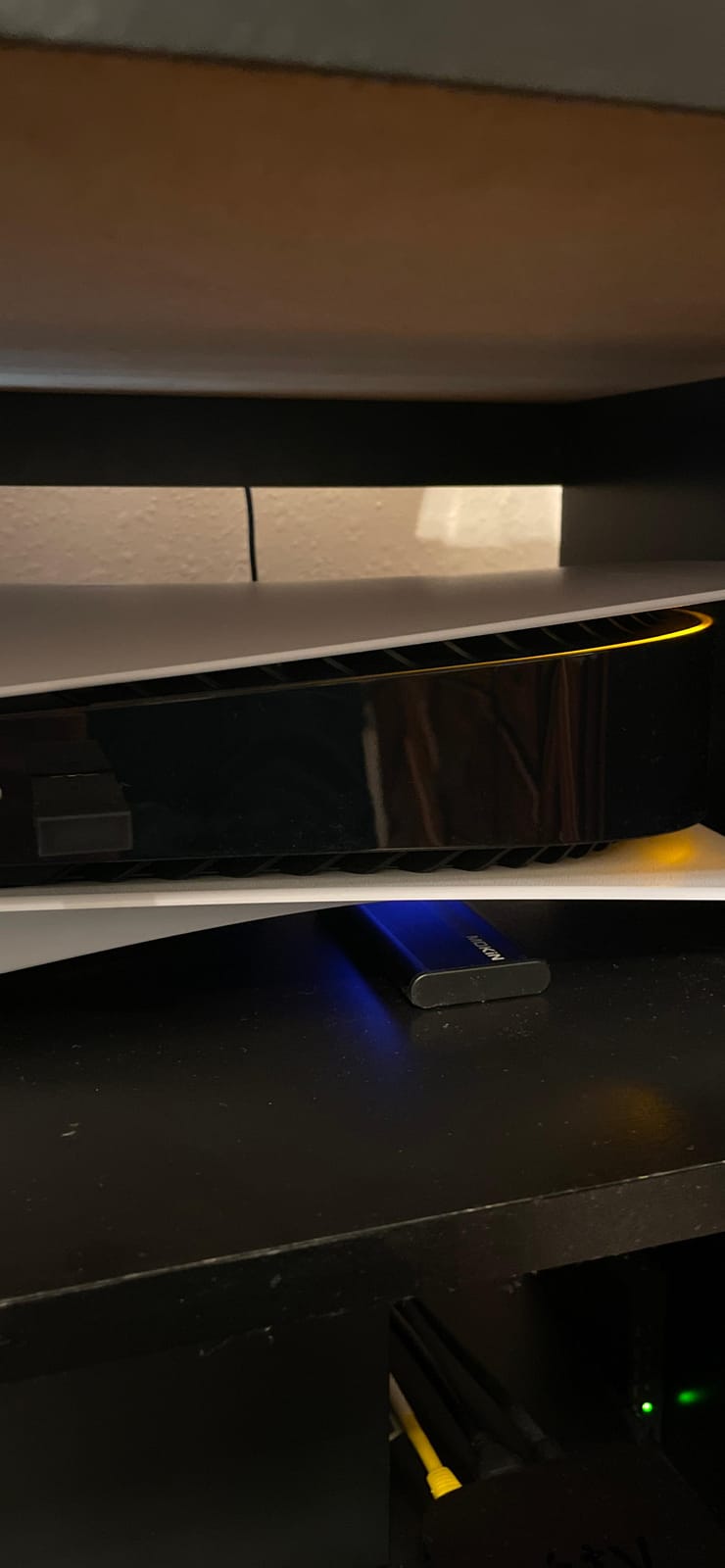
It is also the one to take on a console or a TV. Users report it mounting fine on a PS4 and other USB hosts, which makes it a simple way to get a console into a media library without a full external drive.
What you trade away
You give up the tool-free mount, and with it the ability to swap drives without a screwdriver on the desk. Anyone who rotates several spare drives daily will feel that more than anyone else.
It supports PCIe NVMe M-Key drives only, up to 8TB. mSATA, M.2 AHCI and M.2 SATA are all excluded, so a mixed bag of old spares will not all fit.
5. FIDECO M210 — Best Tool-Free Enclosure for Travel
FIDECO M.2 NVMe SSD Enclosure, M.2 NVMe to USB Adapter, USB 3.2 Gen 2 (10Gbps) SSD Reader for M & M+B Key, Sandwich Style Design, Tool-Free Installation, Support UASP and Trim
USB 3.2 Gen 2 10Gbps
Sandwich tool-free mount
4.5 x 1.4 x 0.5 in
Pros
- Cheapest tool-free enclosure in the roundup
- Sandwich design gives firm thermal pad contact
- One USB-C cable with an attached Type-A adapter
- Pocket size suits travel
- Supports M and M+B keys in all four lengths
Cons
- NVMe only with no M.2 SATA support
- New drives must be initialized and formatted first
- ABS and aluminum build feels basic
The FIDECO does one thing differently from every other tool-free case here: the drive is clamped between two halves rather than held by a lid. You line it up, close the sandwich and the thermal pad is pressed flat against the board with even pressure across its whole length.
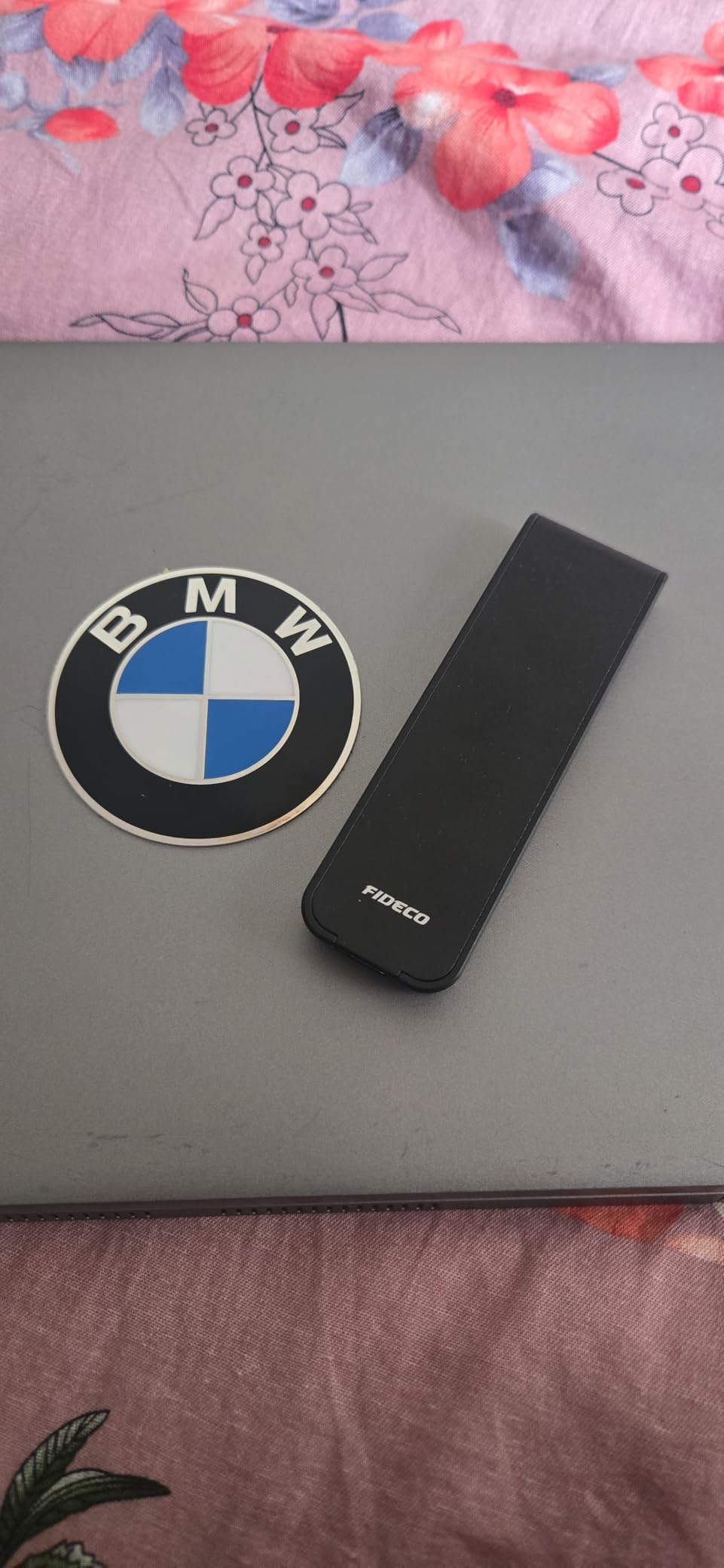
That sandwich geometry is why it runs cool for a case in this bracket, and it is a genuinely good design for a drive that spends its life in a bag being knocked around. The pocket form factor is 4.5 by 1.4 by 0.5 inches.
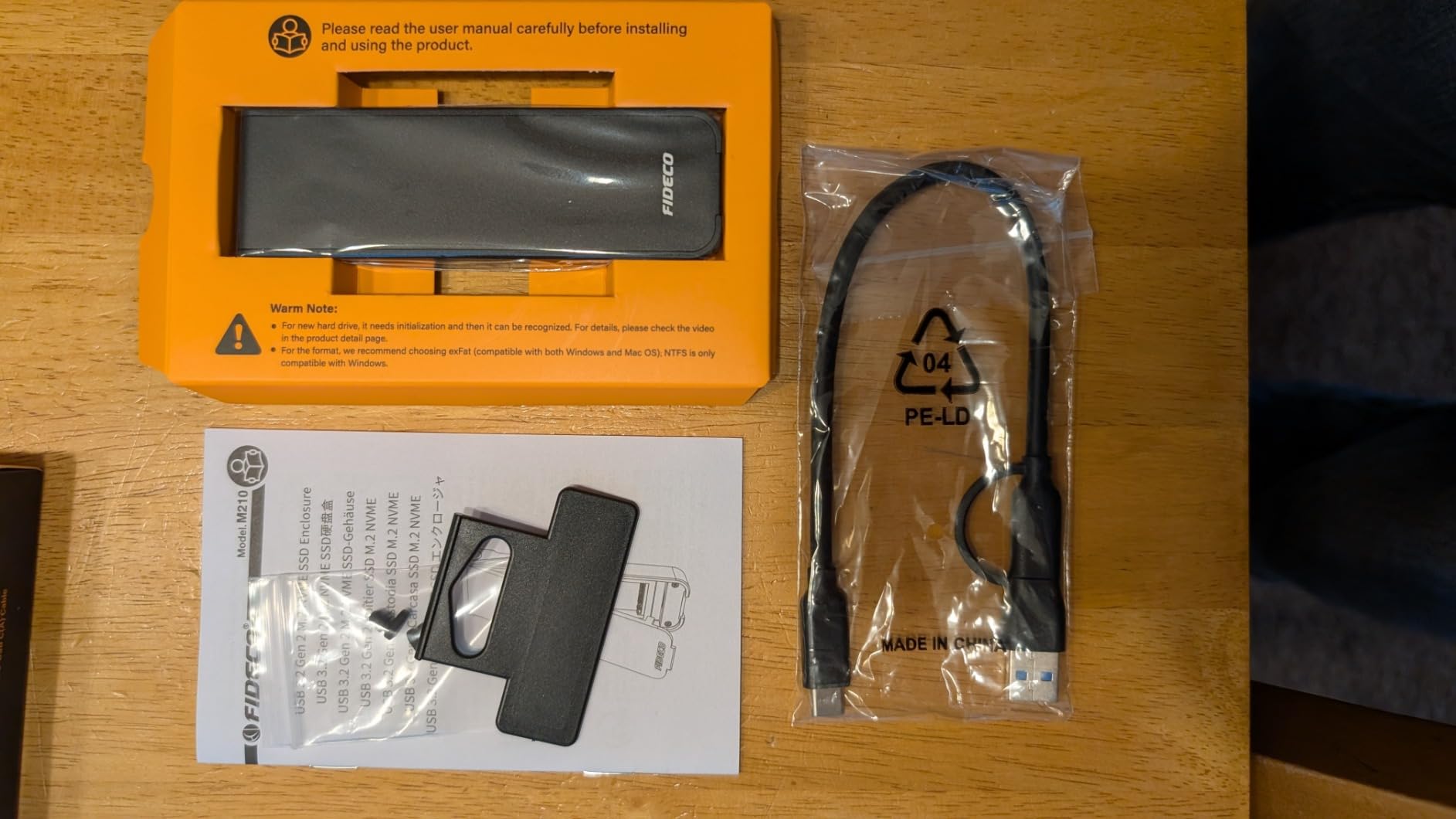
Port coverage is handled cleverly. One USB-C to USB-C cable comes in the box with a USB-A adapter attached to the Type-C end, so one cable covers both port types without a second lead. For a traveller moving between a laptop and a hotel-room desktop, that is the whole problem solved.
It runs USB 3.2 Gen 2 with UASP at up to 10Gbps, accepts M and M+B-Key NVMe drives in 2230, 2242, 2260 and 2280, and works on Windows, macOS and Linux. About 76 percent of ratings are five stars in the review set.
The one setup step people miss is that a brand new SSD has to be initialized and formatted before the host will show it. That is true of every enclosure, not just this one, but it is the most common note in the lower reviews here.
Do you need anything faster than 10Gbps?
If your spare is a budget or older drive, no. There is a ceiling effect working in your favour: the enclosure is already faster than the SSD inside it, so a faster port changes nothing you would notice in normal use.
The 10Gbps tier is the sweet spot for the large majority of spare drives, and forum consensus in the threads we studied agrees even when the drives on the table are much faster than the ones most people own.
Is the budget build a problem?
The ABS frame with an aluminum outer shell is not as satisfying to handle as the machined cases, and the one year warranty is among the shortest offered here. Neither matters if the enclosure lives in a bag.
As with the rest of the NVMe-only group, M.2 SATA drives are not supported, so confirm your spare is NVMe before committing.
6. Plugable USB-C NVMe Enclosure — Best for Warranty and Cross-Platform Support
Plugable M.2 NVMe SSD Enclosure; Tool-Free & Driverless
USB 3.1 Gen 2 10Gbps
Machined aluminum with heat fins
2 year warranty
Pros
- Tool-free mounting with a removable cable
- Machined aluminum case with low-profile fins
- Works on Windows macOS Linux and ChromeOS
- Supports PCIe Gen 3 and Gen 4 drives
- Two year warranty with lifetime support
Cons
- NVMe only with no M.2 SATA or AHCI support
- New drives must be partitioned and formatted manually
- 10Gbps interface limits faster Gen 4 drives
Plugable is the pick for anyone who reads the warranty before the spec sheet. It carries two years of limited parts and labor coverage and lifetime technical support, which is longer than anything else in this roundup.
The case itself is a machined aluminum shell with low-profile heatsink fins, and the drive mounts 100 percent tool-free with a removable cable. That last detail matters more than it sounds: the cable is not permanently attached, so a damaged lead does not mean a dead enclosure or a pile of e-waste.
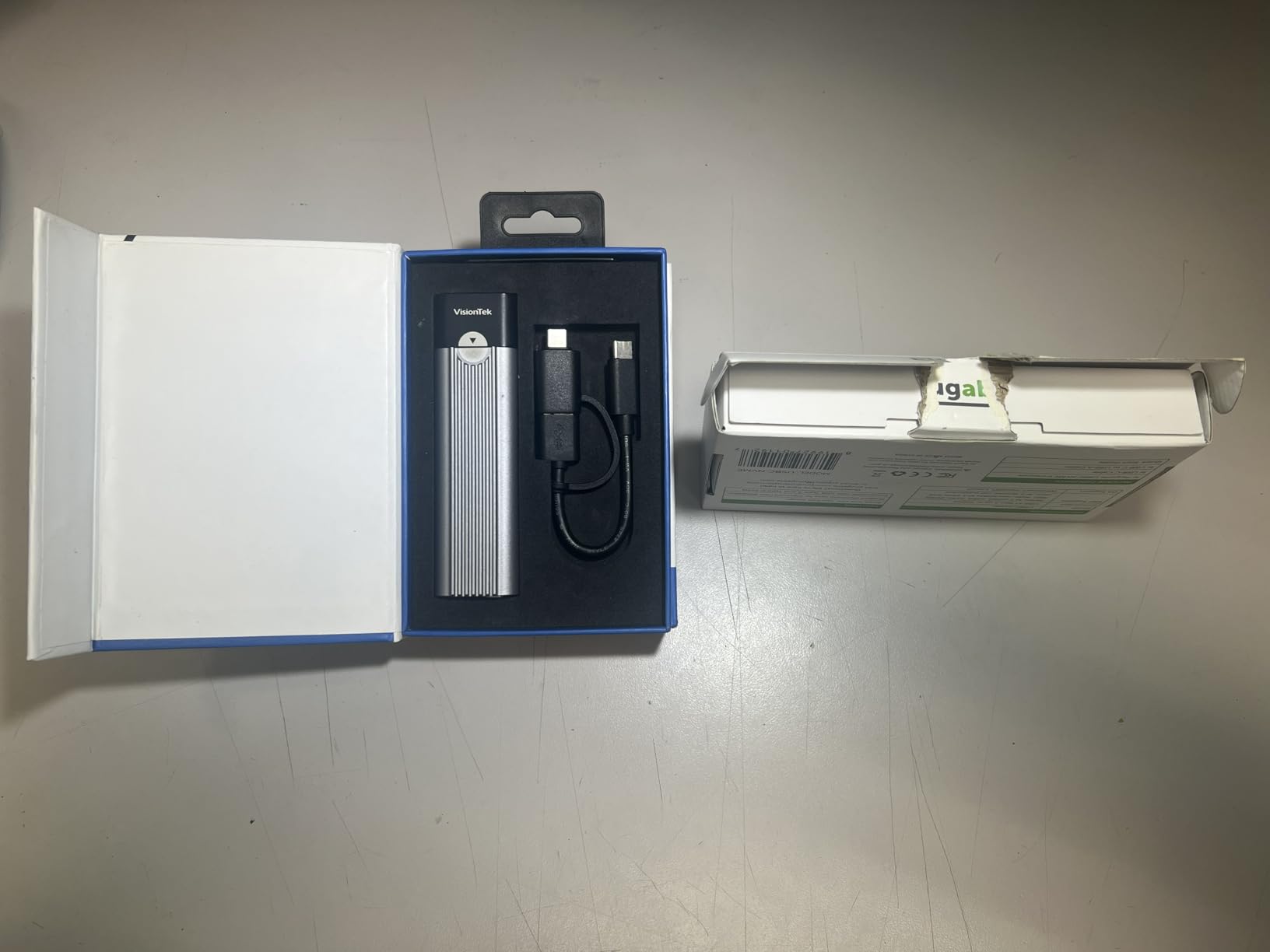
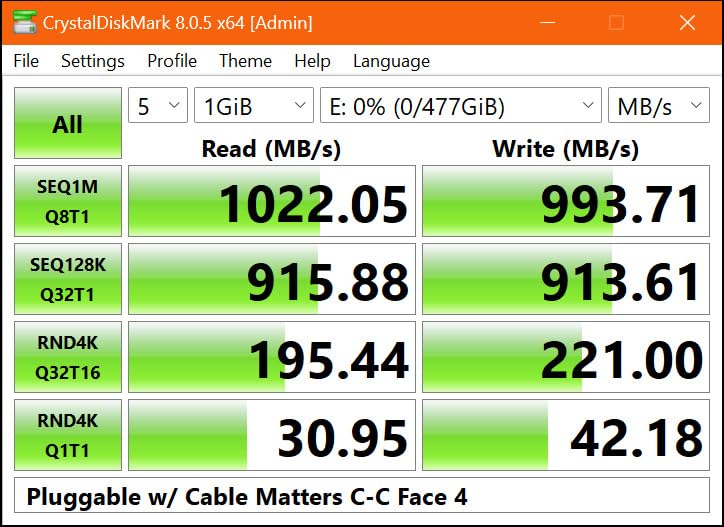
It is listed at up to 950 MB per second read speed and over 900 MB per second read and write with compatible NVMe SSDs, driven over USB 3.1 Gen 2. It also works when you plug it into a USB4 or Thunderbolt 3 or 4 port, since those interfaces are backward compatible.
Platform support is unusually broad for a bare enclosure. Users confirm it works across Windows, macOS, Linux and ChromeOS with no drivers, and the case accepts M.2 NVMe drives in 2230, 2242, 2260 and 2280, including PCIe Gen 3 and Gen 4 drives.
Owners cite easy tool-free assembly, a solid aluminum body and dependable behavior as the recurring positives. The recurring note, as with most enclosures, is that a newly installed SSD must be partitioned and formatted before the host will mount it.
Is a two year warranty worth choosing for?
If your enclosure will live in a bag, get carried between systems or sit plugged in for years, coverage and replaceable parts matter more than RGB or a faster port. This is the case we would hand to a family member who will not read this guide.
The removable cable also removes the single most common long-term failure: a frayed permanently attached lead. The design here treats the cable as the consumable part, which is how it should work.
What it will not do
It is NVMe only. M.2 SATA and AHCI drives are not supported, and there is no RGB, no display and no fan, so it will not draw attention in a desk setup.
At 10Gbps, a fast Gen 4 spare will be held back to roughly 1,000 MB per second. That is the right trade for most people, but it is the reason to step up to a USB4 case if you own a genuinely fast drive.
7. MOKiN 20Gbps Enclosure — Best Way to Get 20Gbps Without Spending Much
MOKiN 20Gbps M.2 NVMe SSD Enclosure, M.2 Enclosure Drive Reader
USB 3.2 Gen 2x2 20Gbps
RTL9220 controller
2242 2260 and 2280
Pros
- 20Gbps Gen 2x2 interface at a low entry point
- Silent aluminum cooling with no fan
- LED indicators show power and activity
- Tool-free aluminum casing
- Works on Windows macOS Linux Android and iOS
Cons
- 20Gbps needs a host port with USB 3.2 Gen 2x2
- 2230 is not listed among the supported sizes
- 18 month warranty
This is the interesting pick in the budget half of the list. The MOKiN is a 20Gbps USB 3.2 Gen 2×2 enclosure, which normally sits well above this bracket, and it uses a Realtek RTL9220 controller with a tool-free aluminum casing.
The catch, and it is a real one, is the host port. Gen 2×2 is a 20Gbps-only standard that plenty of desktops and most laptops do not have. On USB 3.2 Gen 2, Thunderbolt 3, Thunderbolt 4 or Thunderbolt 5 the case runs at 10Gbps, and on older ports it runs at whatever that port allows.
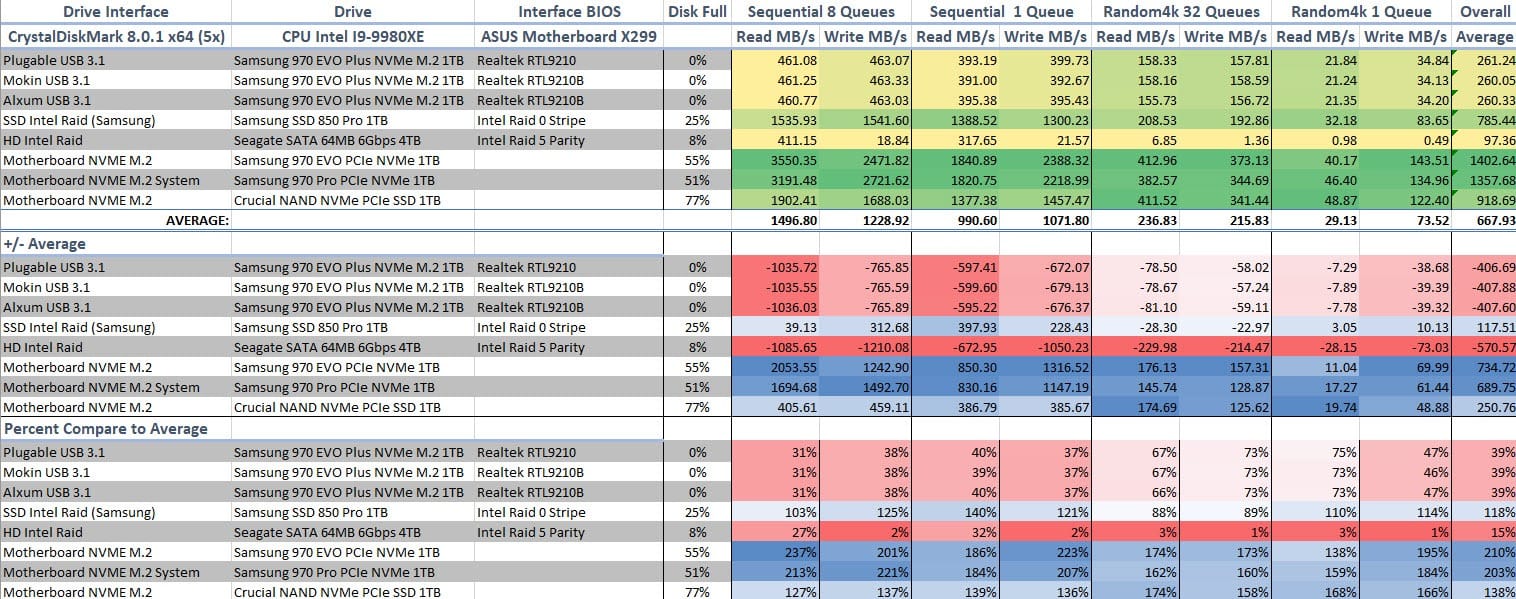
Check your host before you buy. Roughly 72 percent of ratings are five stars, and the main caveat in reviews is exactly this one, with users noting that many of them will realistically see 10Gbps.
Where it does shine is cooling. There is no fan, and the aluminum casing dissipates heat quietly, which owners describe as the opposite of the fan-equipped cases people dismiss as showing off. Dynamic LED indicators show power and drive activity at a glance.
Supported sizes are 2242, 2260 and 2280 for M and B+M-Key PCIe NVMe drives. Note that 2230 is not listed, so the shortest drives are out. It is plug and play with no external power on Windows, macOS, Linux, Android and iOS.
Should you buy a faster port than you have?
No, unless you already know your machine has Gen 2×2. Buying a 20Gbps enclosure for a 10Gbps host is paying twice for the same result, and it is the most common mistake we saw in forum threads on this topic.
Run a quick check of your port first. Modern high-end motherboards, several recent laptops and the Steam Deck and ROG Ally handhelds are the usual candidates, and anything with a plain USB-A 3.2 port is not.
What about the 2230 gap?
If your spare is a full-length 2280 drive, which is the overwhelmingly common case, this is a non-issue. If you have a pile of odd short modules, check the size before ordering, because the UGREEN model below covers 2230 as well.
The 18 month warranty is on the short side for this category, and 20Gbps on a drive that cannot exceed 1,000 MB per second will change nothing measurable.
8. UGREEN 20Gbps NVMe and SATA Enclosure — Best for Mixed Spare Drives
UGREEN 20Gbps M.2 NVMe and SATA SSD Enclosure for M/B+M Key SSDs
USB 3.2 Gen 2x2 20Gbps
NVMe and M.2 SATA up to 8TB
RTL9210B with UASP
Pros
- Handles both PCIe NVMe and SATA M.2 drives
- Near 2000 MB per sec reported on Gen 2x2 hosts
- Clamshell lid with fins runs cooler than sliding lids
- Silicone-wrapped body resists drops
- Only one screw secures the drive
Cons
- 20Gbps needs a USB 3.2 Gen 2x2 port
- mSATA is not supported
- Included short cable is essential to keep
If your spare pile contains a mix of NVMe and M.2 SATA drives, this is the case that stops you buying two enclosures. It accepts both PCIe NVMe and SATA NGFF drives up to 8TB in 2230, 2242, 2260 and 2280 sizes. Almost everything else in the 20Gbps class is NVMe only.
It runs at up to 20Gbps over USB 3.2 Gen 2×2 and falls back to 10Gbps on Thunderbolt 4 and other interfaces, using an RTL9210B controller with UASP, Trim, short-circuit and over-current protection.
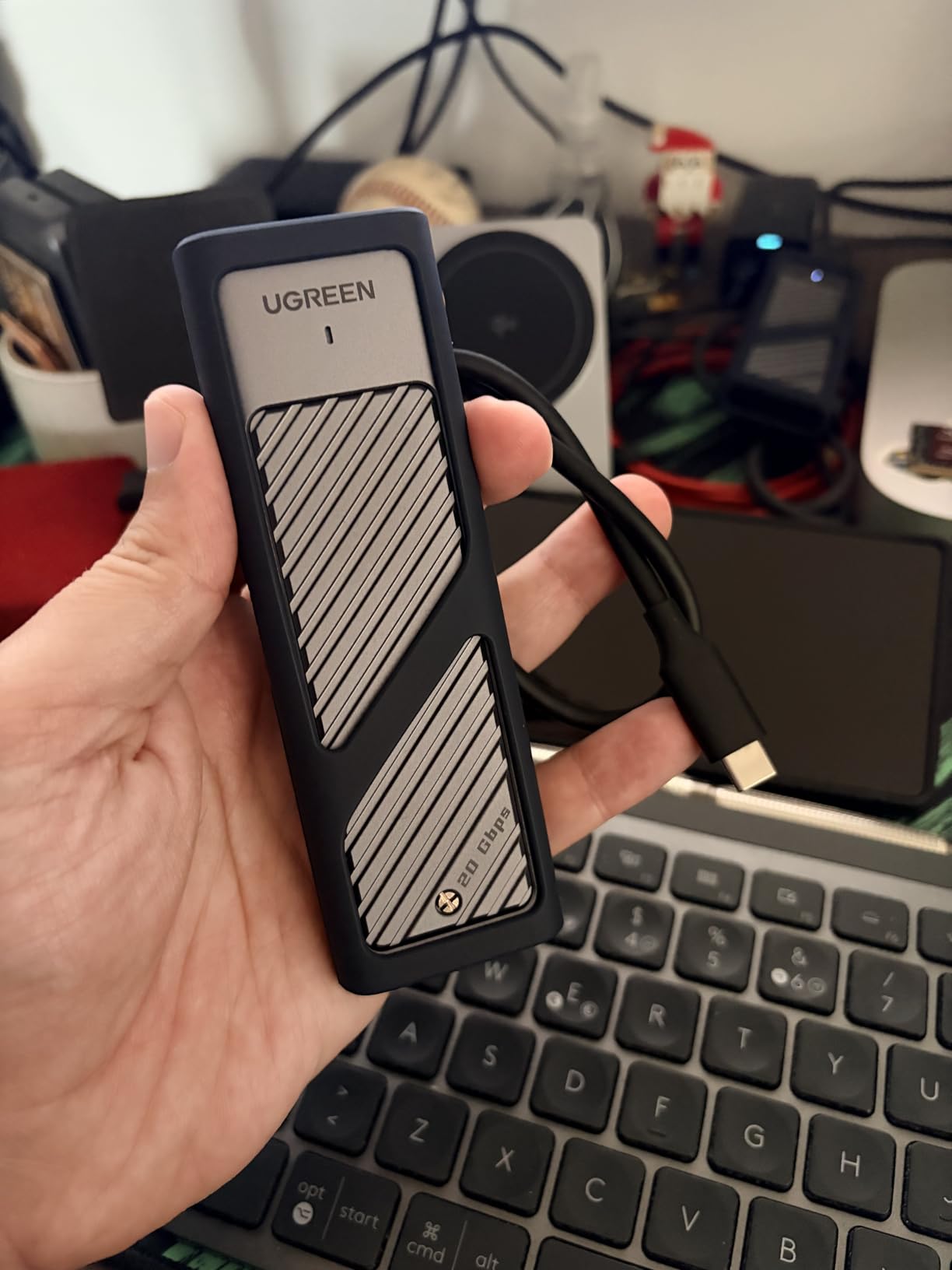
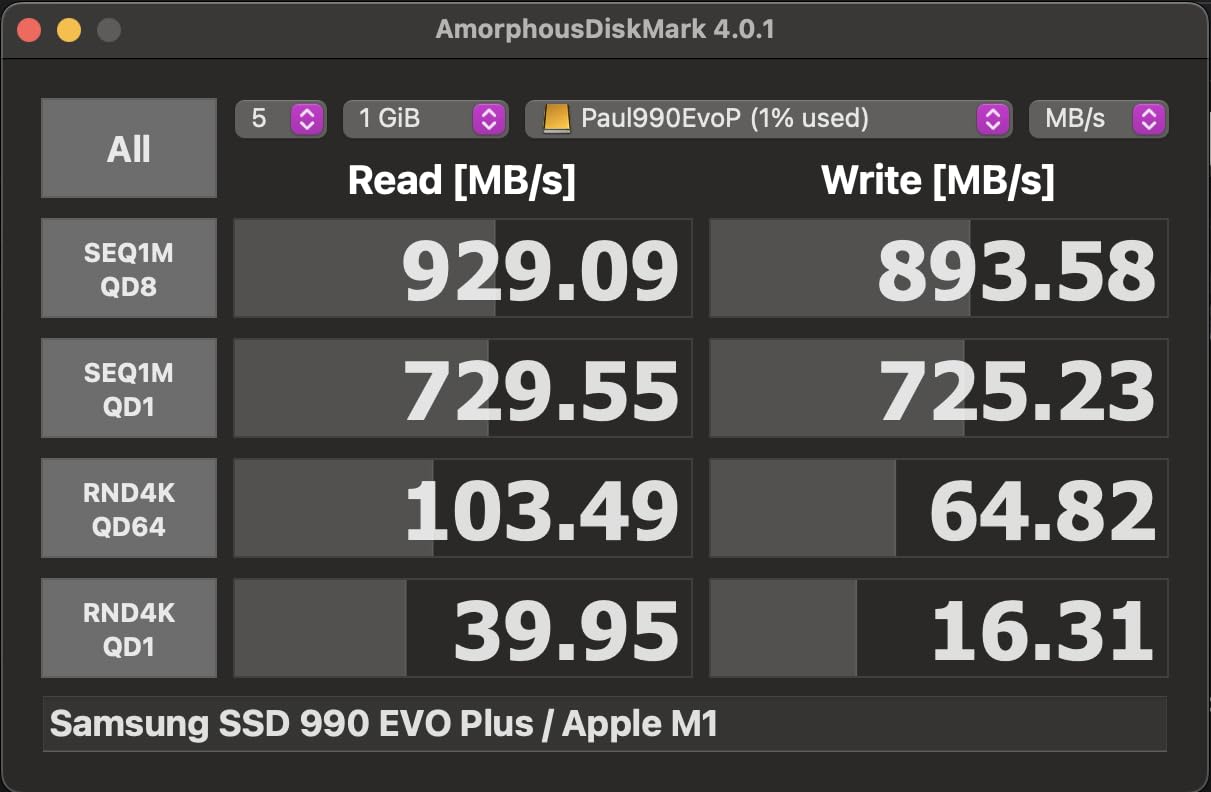
Owners report near 2,000 MB per second on compatible NVMe drives over Gen 2×2, and roughly 1GB per second on Windows hosts and 1.2 to 1.4GB per second on some MacBook hosts. The clamshell lid with fins is repeatedly praised for running cooler than sliding-lid rivals.
Installation is one retaining screw, which is quick but not tool-free. The body is a silicone-wrapped aluminum shell for drop protection, at 4.84 by 1.49 by 0.49 inches and 0.15 kg.
Two practical warnings from reviews: brand drive utilities such as Samsung Magician often cannot see the drive through the enclosure, and some users cannot boot from it as an external boot device. If your plan is to clone a system disk into it, test that first.
Is dual protocol worth the extra step?
If you own an older laptop SATA M.2 drive, absolutely. Those drives are common in decommissioned machines, they are useless in an NVMe-only case, and the protocol support here is the reason this model exists.
The trade is the single screw instead of a tool-free mount, and the drive-specific software caveats. We would still take those over owning two separate enclosures for two different drives.
What to watch out for
Gen 2×2 host ports are still uncommon, and MacBooks in particular tend to cap out at 10Gbps. Verify your port before expecting the 2,000 MB per second figure that owners report.
Keep the included 0.3 m cable. Reviewers report that other cables can break power delivery or reduce speeds, and a long cable on a 20Gbps link is exactly where signal integrity problems show up.
9. UGREEN 40Gbps USB4 Enclosure — Best for USB4 Speed on a Fast Spare SSD
UGREEN 40Gbps M.2 NVMe Enclosure (SSD Not Included)
USB4 40Gbps up to 3600MB/s
ASM2464PD controller
232 g with double-sided fins
Pros
- Only case here that can reach 40Gbps
- Double-sided fin cooling sustains speed
- Fanless so silent with no bearing wear
- Works on Windows macOS Linux and Android
- Includes a cooling pad and disassembly kit
Cons
- Needs Thunderbolt 4 on both host and cable
- Heaviest and bulkiest at 232 g
- NVMe only with no SATA or mSATA support
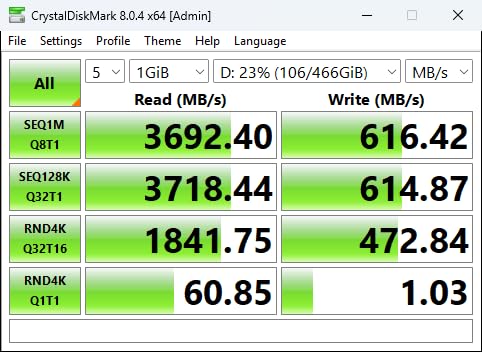
This is the only 40Gbps enclosure in the group, and it uses an ASM2464PD chip for a maximum of 3,600 MB per second. If you have a Gen 5 spare drive and a Thunderbolt 4 laptop, this is the only case here that will let you feel it.
Its cooling design is the most serious we saw. Double-sided fins and a three-dimensional cooling system keep a hot Gen 5 drive at speed without a fan, which means no noise and no bearing lifespan question. It is 232 g and 4.8 by 2.6 by 1.06 inches, noticeably bulkier than the 10Gbps cases.
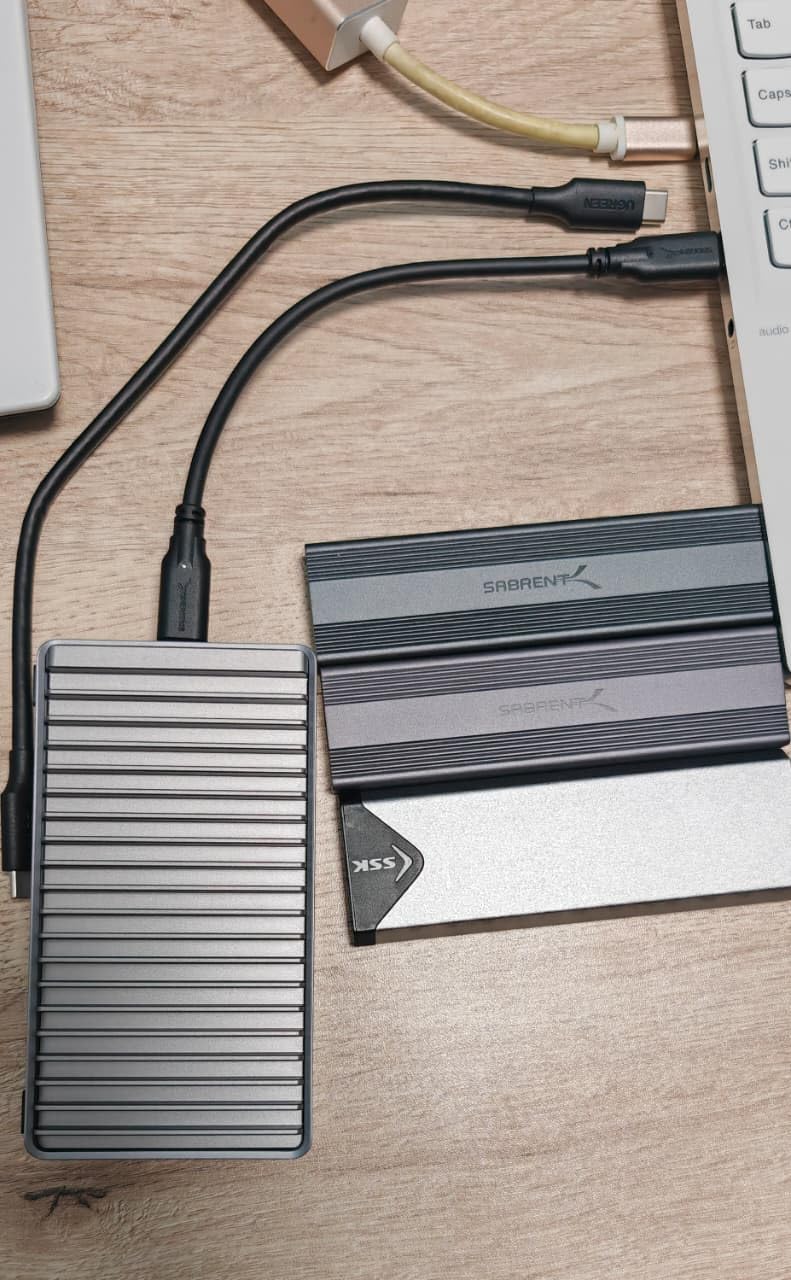
It handles 2230, 2242, 2260 and 2280 NVMe drives up to 8TB and works across Windows, macOS, Linux and Android, backward compatible with USB4, 3.2, 3.1, 3.0, 2.0 and Thunderbolt 3 and 4 hosts. A cooling pad and disassembly kit are in the box.
The 10 percent one-star share in reviews maps directly onto the three things that catch people out: the price, the Thunderbolt 4 requirement, and reports that very thick drives conflict with the supplied thermal pad and need a thinner one.
NVMe only here as well, so SATA M.2 and mSATA drives are excluded. Check the physical thickness of your drive if it is a stacked or double-sided module before relying on the included pad.
Is Thunderbolt worth it for a spare drive?
Only for a genuinely fast spare. We regularly see this recommendation go wrong in forum threads, where someone buys a 40Gbps case, plugs a budget Gen3 drive into it, and sees exactly the same numbers as a 10Gbps case.
The rule is simple. If your SSD cannot beat about 1,000 MB per second on its own, a 10Gbps enclosure already contains it. Thunderbolt only pays off above that line, which today means high-end Gen 4 and Gen 5 drives. The same host-port logic applies to the Thunderbolt eGPU enclosures for laptops we looked at earlier this year, which are also bottlenecked by whatever port the machine actually has.
What the speed actually costs you
It requires Thunderbolt 4 hardware on both ends. The host must be Thunderbolt 4 capable and you must use a Thunderbolt 4 cable, because a standard USB-C cable will not carry the full 40Gbps.
It is the heaviest and bulkiest case in the roundup, and about a tenth of its reviewers left a one-star rating largely on those two points. For a desk-attached drive that never leaves the office, those complaints do not apply.
10. Sabrent Rocket RGB — Best for RGB Setups With SATA Support
SABRENT Rocket RGB USB4 20Gbps NVMe & SATA M.2 SSD Enclosure (EC-RGBG)
USB 3.2 Gen 2x2 20Gbps
NVMe and M.2 SATA in four sizes
RGB status lighting
Pros
- Accepts both NVMe and M.2 SATA drives
- Status-responsive RGB lighting that can be dimmed
- Simple tool-free slide-in with a built-in retainer
- Well regarded for Steam Deck and handheld cloning
- Pocket-friendly at 3.4 ounces
Cons
- Passive cooling only so long writes can throttle
- Attached cable is not user-replaceable
- 20Gbps needs a USB 3.2 Gen 2x2 host
The Rocket RGB pairs the two things most 20Gbps cases leave out: M.2 SATA support and lighting. It accepts M.2 NVMe M-Key and M.2 SATA drives in 2230, 2242, 2260 and 2280, and the RGB LEDs shift with power and activity and can be dimmed when you want the case to behave.
It is listed at 20Gbps but needs a USB 3.2 Gen 2×2 host to reach that, and it works at port speed on 10Gbps, 5Gbps and Thunderbolt 3. It does not accept 2.5-inch drives, mSATA or M.2 A/E-Key WiFi cards.
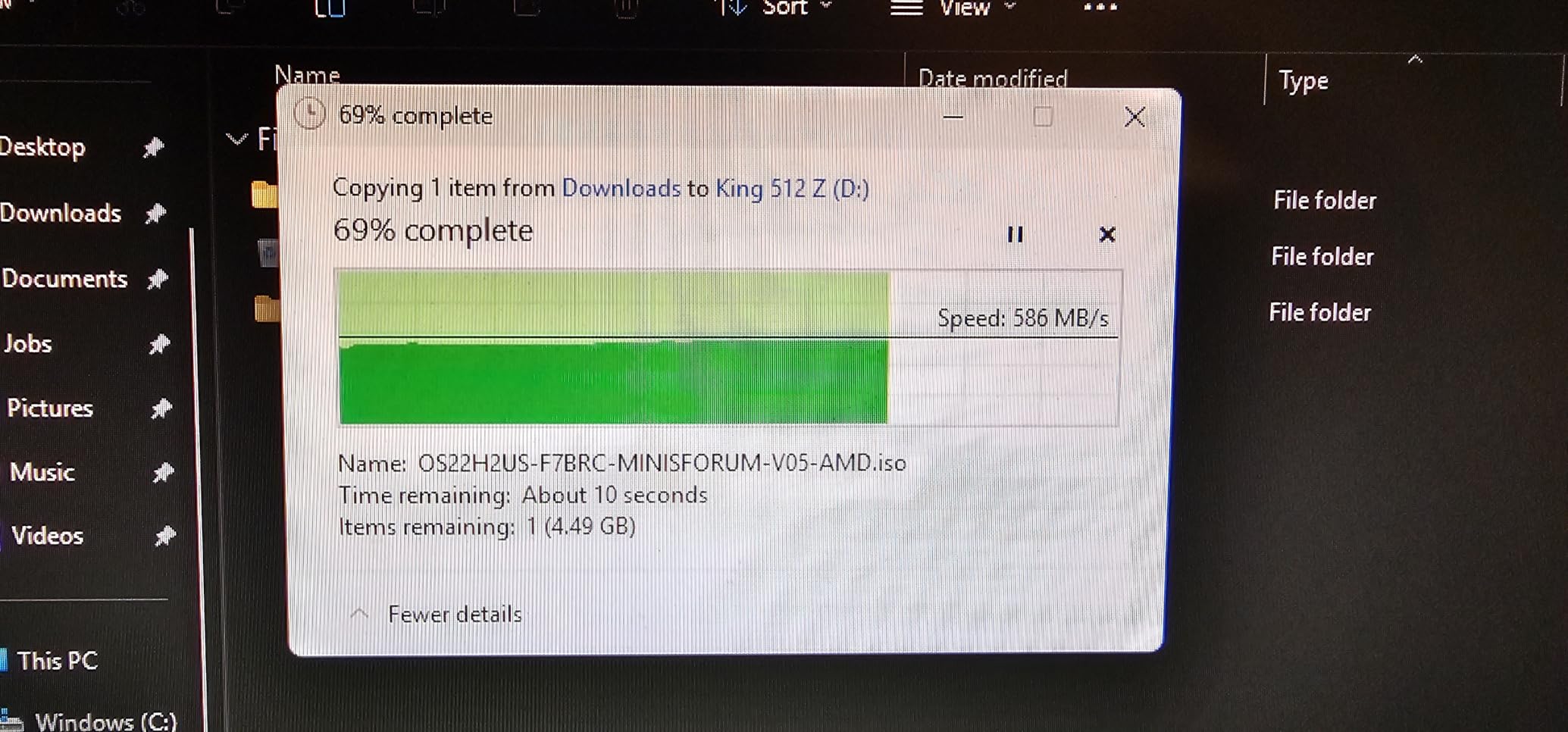
The build is a tool-free aluminum body with a slide-in drive and a built-in retainer, plus thermal padding. At 3.4 ounces and 4.3 by 1.8 by 0.58 inches it is one of the more portable cases here, and it is plug and play on Windows, macOS, Linux, Steam Deck and ROG Ally with a USB-C cable included.
Handheld owners like it for cloning a drive into a Steam Deck or ROG Ally, and editors like it as a compact scratch drive. Two years of limited warranty is also better than most of the list.
The weakness in reviews is cooling. There is no active cooling, so sustained long transfers can run the drive hot enough to throttle, and some users report lockups under heavy write workloads. The attached cable is also not user-replaceable, which is the opposite of what we would want.
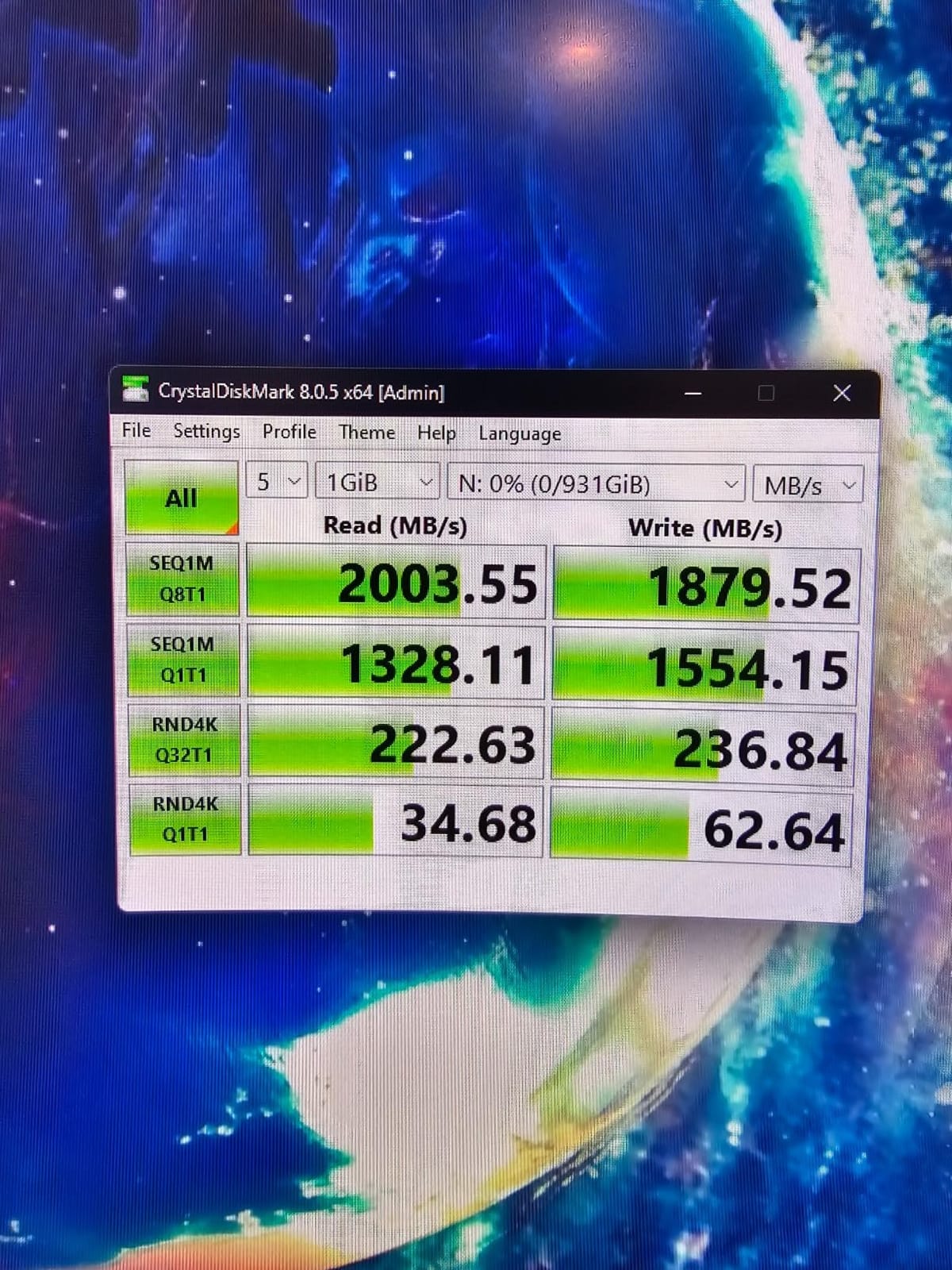
Is RGB plus SATA the right combination?
For a spare SATA drive you want to keep visible on a desk, yes. It is one of very few enclosures in this roundup that will show you an old M.2 SATA stick at all, and the lighting makes it look deliberate rather than accidental.
For heavy sustained writing, the passive-only cooling is the concern. If you plan to move large project files onto it repeatedly, a fanless case with fins is the safer choice.
Where to draw the line
The fixed cable is a real e-waste risk if the lead ever fails, and one owner reported a USB-C connection that worked in only one orientation and broke under light movement. It is a small sample, but it is the kind of fault that ruins a drive’s day.
And again, 20Gbps needs a Gen 2×2 port. On a 10Gbps host this becomes an expensive, well-lit 10Gbps enclosure.
How to Choose an NVMe Enclosure for a Spare SSD
The fastest enclosure in this roundup will not make a slow drive fast. Start by working out what your spare SSD can actually do, then match the port to it rather than the other way around.
USB speed tiers and what they really cap at
USB 3.2 Gen 2 at 10Gbps is the tier nine of these ten enclosures sit in, and it is the right default for most spare drives. Real-world transfer rates sit just under 1,000 MB per second, which is faster than most internal drives from a few years ago can sustain.
USB 3.2 Gen 2×2 at 20Gbps is a different standard, not just a faster Gen 2. It delivers roughly 2,000 MB per second, but only when both the host port and the enclosure support it, and that port is still uncommon outside recent high-end desktops and some laptops.
USB4 and Thunderbolt run at 40Gbps and can reach around 3,600 MB per second, but they demand Thunderbolt 4 hardware and a Thunderbolt 4 cable at both ends. Anyone considering a 40Gbps case for a budget spare is paying for headroom they will never reach.
M.2 keying and the four lengths
All ten enclosures here take a standard M-Key NVMe drive, which is what almost every modern internal SSD uses. Four lengths exist: 2230, 2242, 2260 and 2280, all measured in millimeters, with 2280 by far the most common at 80 mm long.
Most cases support all four, which is what makes them useful for a drawer of mixed spares. Check the size list before buying if you own short modules, because the MOKiN 20Gbps case covers 2242, 2260 and 2280 only.
NVMe versus M.2 SATA
These are two different storage protocols that share the same physical shape, which is the single most common compatibility trap. NVMe talks PCIe, M.2 SATA talks the older SATA protocol, and an NVMe-only enclosure simply will not detect an M.2 SATA drive.
Only the UGREEN 20Gbps and Sabrent Rocket RGB accept both. If your spare pile is entirely modern NVMe, that restriction costs you nothing.
Thermals and sustained write speed
Every enclosure here is fanless, and that is the right call. What separates them is how the thermal pad actually touches the drive. Designs that clamp the board between two halves, or press a lid onto it, run cooler than screw mounts where the pad may only touch one point.
Speed collapsing partway through a large copy is the most common complaint in every forum thread we read, and it is a thermal effect rather than a bridge chip effect. A Gen3 spare that has been sitting in a warm cupboard runs hotter than a new Gen4 drive from a sealed box, so an older drive is often the one that needs the better case.
Tool-free versus screw mount
Tool-free lids, buckles and sandwich clamps win for anyone who swaps drives often, because a captive design cannot lose a one-gram screw and reassembles in the correct order every time. Screw mounts cost a few seconds per swap and need a precision screwdriver.
The compromise used by the UGREEN 20Gbps case, where a single retaining screw holds the drive inside a well-designed clamshell, is a reasonable middle ground.
Cables and host ports
Check what is in the box before you buy, because a missing Type-A cable is a common and annoying surprise. The Sabrent EC-PNVO, the ASUS ROG Strix Arion, the Plugable and the ORICO all address this with a USB-C to USB-A lead, while the FIDECO attaches an adapter to its single USB-C cable.
For older desktops with only USB-A ports, the UGREEN 10Gbps is the tidiest answer because both cable types and a protective case are included. For a Type-C-only machine such as a MacBook, any of these will do, provided you are not blocking your only port during a long copy.
Preparing a spare SSD before it goes in a case
Decide what happens to the data already on the drive before you connect anything. If you want to keep it, clone it rather than formatting it, and confirm the clone with a full verification pass rather than trusting the progress bar alone.
If the drive held a system partition from an old laptop, wipe it properly with a secure erase or the manufacturer’s tool rather than a quick format. If your workflow depends on the data surviving an unplug, check whether the SSD itself has power loss protection, because most budget spares do not.
A newly installed SSD must be initialized and formatted before the host will mount it. That applies to every case in this roundup and is the single most common surprise for first-time users.
When your drive is not detected
Check the protocol first, because an M.2 SATA drive in an NVMe-only case will never appear and no amount of re-seating will help. Look at the keying and length next, and confirm the case supports your exact size.
Then work down the port chain. Try the other cable, try a different port, and remember that a 20Gbps or 40Gbps case still runs at the speed of a 10Gbps port. Some USB4 enclosures have also been reported not to mount on older USB 3.x hosts, so test a fallback machine.
Finally, reseat the drive. Misaligned boards that never quite make contact are a genuine and underreported cause of the detection failures described in r/buildapc, and a case with a captive tool-free mount is much less likely to suffer from it.
Enclosure versus buying a new external SSD
A factory external SSD arrives sealed, with a longer integrated warranty and a fixed capacity. An enclosure plus a drive you already own spreads the cost across hardware you keep, and you can upgrade capacity later by swapping the drive rather than the enclosure. If you would rather start from scratch, our picks for portable SSDs for gaming cover that route instead.
The maths favours the enclosure whenever you have a working spare. It only loses if your spare is a slow OEM drive, where you are paying a case for storage that a new mid-range external SSD would outpace, or if you need the sealed-drive warranty for a critical backup.
For those building a home server or a shared library, our guides to network attached storage enclosures and NVMe SSDs for gaming PCs cover the drive side of that decision.
Frequently Asked Questions
What is the best M.2 enclosure for NVMe SSDs?
The Sabrent EC-PNVO is the best M.2 enclosure for most people reusing a spare SSD. It runs USB 3.2 Gen 2 at 10Gbps, opens tool-free without a screw, fits NVMe drives in 2230, 2242, 2260 and 2280 sizes, and its aluminum body presses the thermal pad onto the drive so speed holds up through long transfers.
What is the best USB4 NVMe enclosure?
The UGREEN 40Gbps USB4 enclosure is the fastest option in this roundup. It uses an ASM2464PD chip for up to 3,600 MB per second and relies on double-sided fin cooling rather than a fan. Reaching 40Gbps requires Thunderbolt 4 hardware on the host and a Thunderbolt 4 cable.
Which is better, an external SSD or an NVMe SSD in an enclosure?
If you already own a working spare NVMe drive, an enclosure is usually the better value because you spread the cost across hardware you keep and can swap capacity later. A factory external SSD makes more sense when you have no spare, when your spare is a slow OEM drive, or when you want the sealed-drive warranty for critical backups.
Why is my NVMe drive not being detected in an enclosure?
The most common causes are protocol mismatch, size mismatch and contact problems. An M.2 SATA drive will never appear in an NVMe-only case, a 2230 drive will not fit a case that only lists 2242 and up, and a misaligned board can fail to make contact. Also try a different cable and port, since a 20Gbps or 40Gbps case still runs at the speed of a 10Gbps port.
Does an enclosure slow down my NVMe SSD?
The USB interface sets the ceiling, not the drive. A 10Gbps enclosure tops out just under 1,000 MB per second, 20Gbps reaches about 2,000 MB per second and 40Gbps around 3,600 MB per second. If your drive cannot beat 1,000 MB per second on its own, a faster enclosure will change nothing.
Is it worth putting an old SSD in an enclosure?
Yes, as long as it is a working M.2 NVMe drive. Older PCIe Gen3 spares are perfectly serviceable as backup, scratch or game-library storage, and 10Gbps is usually faster than the drive itself. Verify the protocol is NVMe rather than M.2 SATA first, since most enclosures only accept NVMe.
Which Enclosure Suits Your Spare SSD?
The best NVMe enclosures for spare SSDs come down to one question: how fast is the drive you are trying to rescue. A Gen3 or budget spare will be fully contained by a 10Gbps case, and the Sabrent EC-PNVO is the one we would put in your hand first for its tool-free lid, cool aluminum body and complete support for every NVMe length.
Spend up only when the drive justifies it. The UGREEN 20Gbps NVMe and SATA case is the pick for a mixed pile of old drives, the MOKiN 20Gbps is the cheapest route to a faster port if your machine actually has one, and the UGREEN 40Gbps USB4 enclosure only makes sense behind Thunderbolt 4 hardware with a Gen 5 drive inside.
Whatever you pick, check the protocol on your spare before anything else. The number of people who end up with an enclosure that will not see their drive is almost entirely the number who did not confirm they had M.2 NVMe rather than M.2 SATA. Our picks and buying guide are current as of 2026, and we update this roundup whenever a new case shifts the picture.